What Really Happens Inside FD-IX
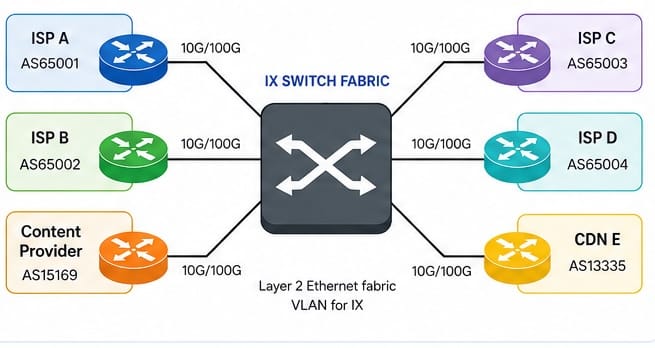
An Internet exchange, such as FD-IX, is basically a Layer 2 switch that a bunch of networks plug into. Each member connects their router to a port on the exchange. The switch just moves Ethernet frames between those routers. It does not pick which Internet routes get used. That job falls to BGP.
The Exchange Fabric
Depending on the exchange and how much traffic you expect, you might connect with a 10G, 100G, or even bigger Ethernet port. That port usually sits on a dedicated peering VLAN. You assign an IP from the exchange subnet to your router interface. Everyone else does the same thing on their own ports.
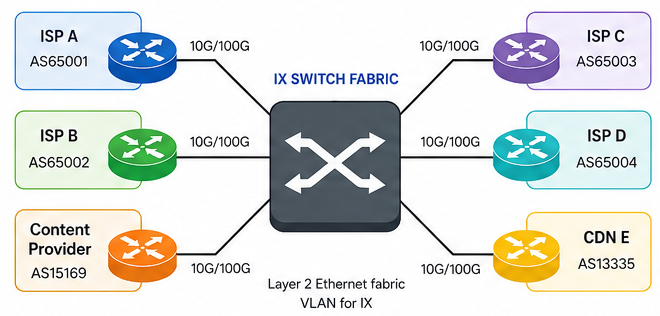
The switch learns MAC addresses like any other Ethernet switch. When one participant sends a frame to another router, the fabric just forwards it to the right port. The exchange never looks at the full Internet routing table to make that call.
BGP Runs Between the Participants
Routers on the exchange use BGP to swap prefixes. You can set up direct bilateral sessions with other networks, or just connect to the exchange route servers. Most networks end up doing both.
A bilateral session runs directly between two participant routers. Each network controls what it accepts and advertises on that session. This works well for large traffic relationships or cases where both sides want specific routing policy.
Route servers cut down on the number of BGP sessions you need to set up. Instead of building a session with every other network, you just connect to one or two route servers. The route servers take in routes from everyone and advertise them out to other members, following whatever policy is in place.
Route Servers that aren’t actually routers
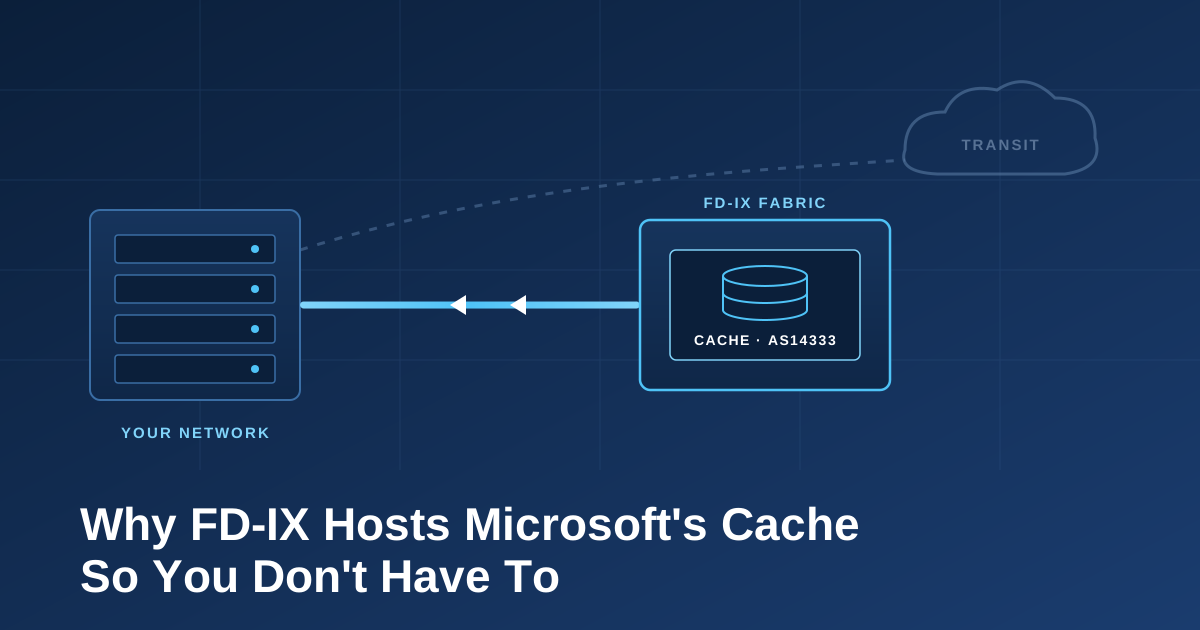
This part can be confusing if you aren’t familiar with route servers or route reflectors. A route server exchanges BGP routes, but the packets do not pass through it. The next hop usually remains the router that originally advertised the prefix. Once BGP selects the route, traffic moves directly across the exchange fabric from one participant router to the other. The route server helps with control-plane scale. It is not a transit router.
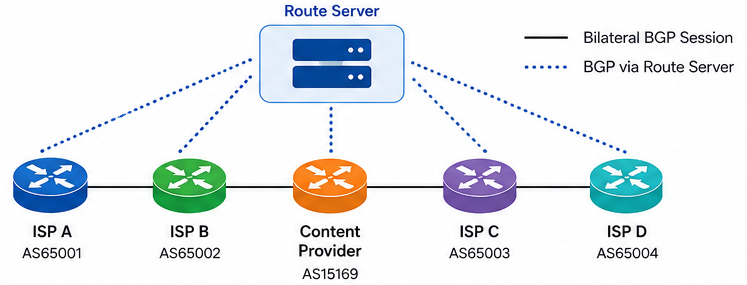
For example, an ISP may learn a content provider prefix from the route server. The ISP router installs the content provider’s exchange IP as the next hop. A customer packet then crosses the ISP edge router, the exchange switch fabric, and the content provider router without touching the route server.
The Exchange is just the conduit
Just plugging into the IX doesn’t mean you’ll start sending traffic over it. You still need working BGP sessions, a routing policy that makes sense, and accepted prefixes. It’s common to have an active exchange port while all your customer traffic still leaves through transit. Route servers can help make the setup easier.
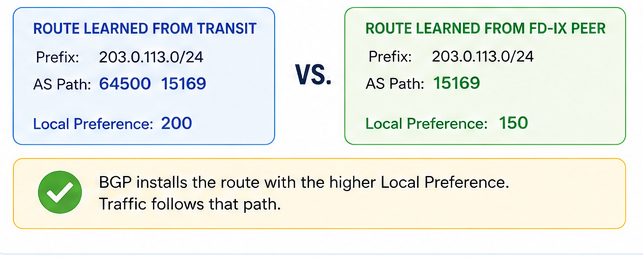
Local Preference is the main knob in most IX setups. If your transit routes have a higher Local Preference than your peering routes, your router will keep picking transit. Even if the exchange path has a shorter AS path, BGP won’t even look at that if Local Preference already made the decision.
More-specific prefixes can make traffic do things you might not expect. For example, you might learn a /24 over transit and a /20 over the exchange. The /24 wins because the router always picks the most specific match, no matter what the BGP path looks like. This is a common trick: advertise more-specific prefixes to the IX and the aggregate to your transit. That way, traffic goes over the IX by default.
Traffic Can Be Asymmetric
The outbound and return paths are separate BGP choices. Your router might send traffic over the exchange, but the other network could send replies back through your transit provider. Both paths work, even if they don’t match up.
You might see a peering port with lots of outbound traffic and barely any inbound. Another peer could show the opposite if their routing policy prefers the exchange for traffic coming to you.
Running traceroute from just one side doesn’t tell the whole story. The return path might go through different carriers, different cities, or even a different exchange.
Route Filtering Happens at Several Points
You should filter routes you get from peers and route servers. The route server will also do its own checks before passing routes along. These checks might include prefix limits, IRR-based filters, and RPKI validation.
If a prefix fails RPKI validation, the route server can drop it. Your BGP session might stay connected, but that specific route is gone. This is why just checking the session state doesn’t guarantee you have all the routes you expect.
Setting maximum-prefix limits is a good idea. If a member suddenly advertises more routes than expected, their session can get shut down. The port stays up, but the router loses the peering routes it was using.
BGP Communities
FD-IX route servers support several BGP communities that let you control where your routes get advertised. You might send a prefix to most members but block it from a specific ASN. These controls help when you have different capacity or policy needs across the exchange. They also give you another thing to check when traffic isn’t going where you expect. The wrong community can keep a route from reaching the peer that actually needs it.
Cross-Connects
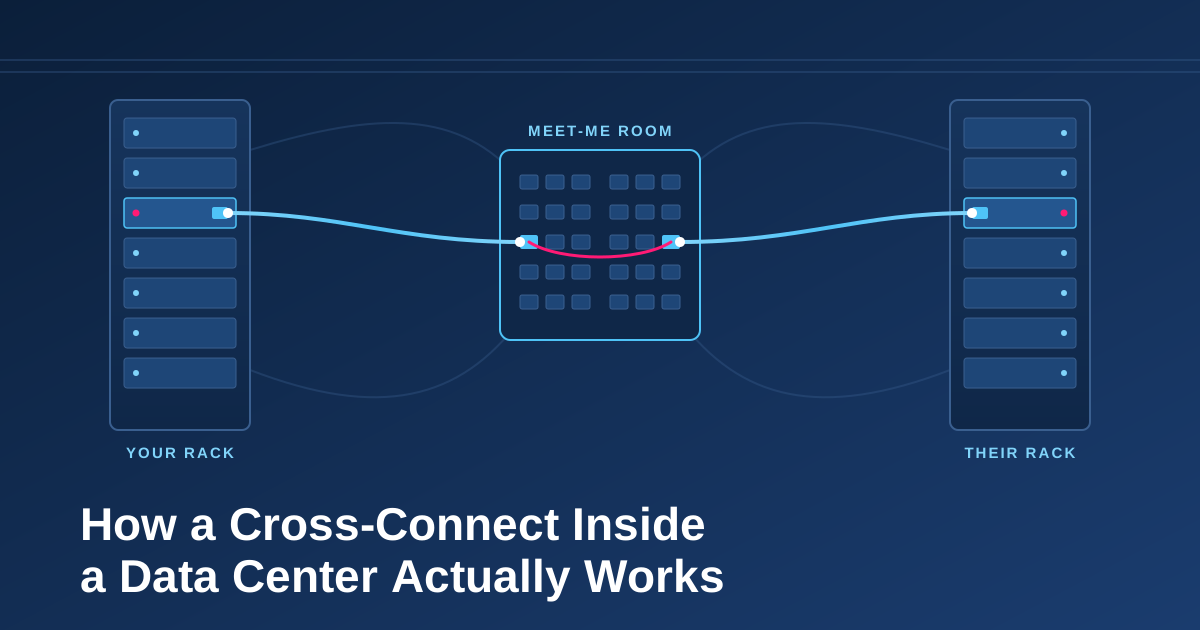
The logical exchange looks simple, but the physical path still involves optics and fiber. Your router connects to a patch panel, then a cross-connect runs to the exchange switch. Some setups also have a meet-me room in the middle.
The Packet's Path
A customer sends a packet to a prefix learned from a peer. The ISP router checks the destination and picks the exchange next hop. It then resolves that next hop to a MAC address and builds an Ethernet frame for the peering VLAN.
The exchange switch gets the frame and forwards it to the peer’s port. The peer router strips off the Ethernet header, checks the IP destination, and sends the packet further into its network. The exchange fabric’s job is done once the frame hits that router.
There’s no central exchange router carrying the packet. The IX just points traffic in the right direction. No route server is in the forwarding path. The traffic moves because two networks agreed to exchange routes and plugged their routers into the same Layer 2 fabric.